The Bot Runs as You: Hardening a ⚕ Hermes Agent for Guests
2026-11-08
Thesis: a messaging bot is not a separate user. It is your account with a Discord adapter attached, and adding people to it adds people to your shell — so the boundary has to be drawn on the platform, not on the person.
Goal: members keep the bot in Discord and can add nothing that runs; you keep the full toolset over SSH.
Status: config-only. The Discord list below is five toolsets — four read-only, plus skills behind the write gate — and the CLI keeps the full set.
Related: the private Discord setup is the invite side, and the skill index is what fills the library this article gates.
A skill appeared in ~/.hermes
Yesterday a member asked the bot for a custom skill. The bot wrote one, and it landed in /home/jeff/.hermes/skills/. Nothing broke. That was the problem: it worked exactly as designed, and the design is “the agent may modify any skill it can see”.
Skills are files. The agent creates, patches, and deletes them through skill_manage. If that tool is enabled on the platform the guest is talking on, a guest puts a file on your VPS by asking politely.
Why it happened
The gateway runs as jeff. Every tool call — terminal, write_file, skill_manage, cronjob — inherits that uid. There is no privilege boundary inside the process, because there is no second identity to switch to.
So the invite was the mistake, not the prompt. Adding a member to the bot added them to the account that holds your SSH keys, your git config, and your home directory. The private Discord setup is how to issue an invite that does not hand over the account.
The limitation worth knowing first
Hermes configures tools per platform, not per user. Gateway authorization is binary: a user ID is allowed or denied. There is no “this member may run a shell, that one may not” for plain chat — only slash commands split into admin and non-admin.
So everyone on one platform shares one tool list: grant yourself terminal on Discord and every guest has it; deny it and you lose it there too. The shell is the only place you can hold more power.
That decides the architecture. The trust boundary has to be the platform, or a second gateway. It cannot be the person.
Three layers
| Layer | Question it answers | Mechanism |
|---|---|---|
| Identity | who is the process? | a dedicated unix user — needs a home outside your own |
| Capability | what can a guest make it do? | a per-platform toolset whose writes are gated |
| Control plane | can a guest undo the above? | admin-only slash commands |
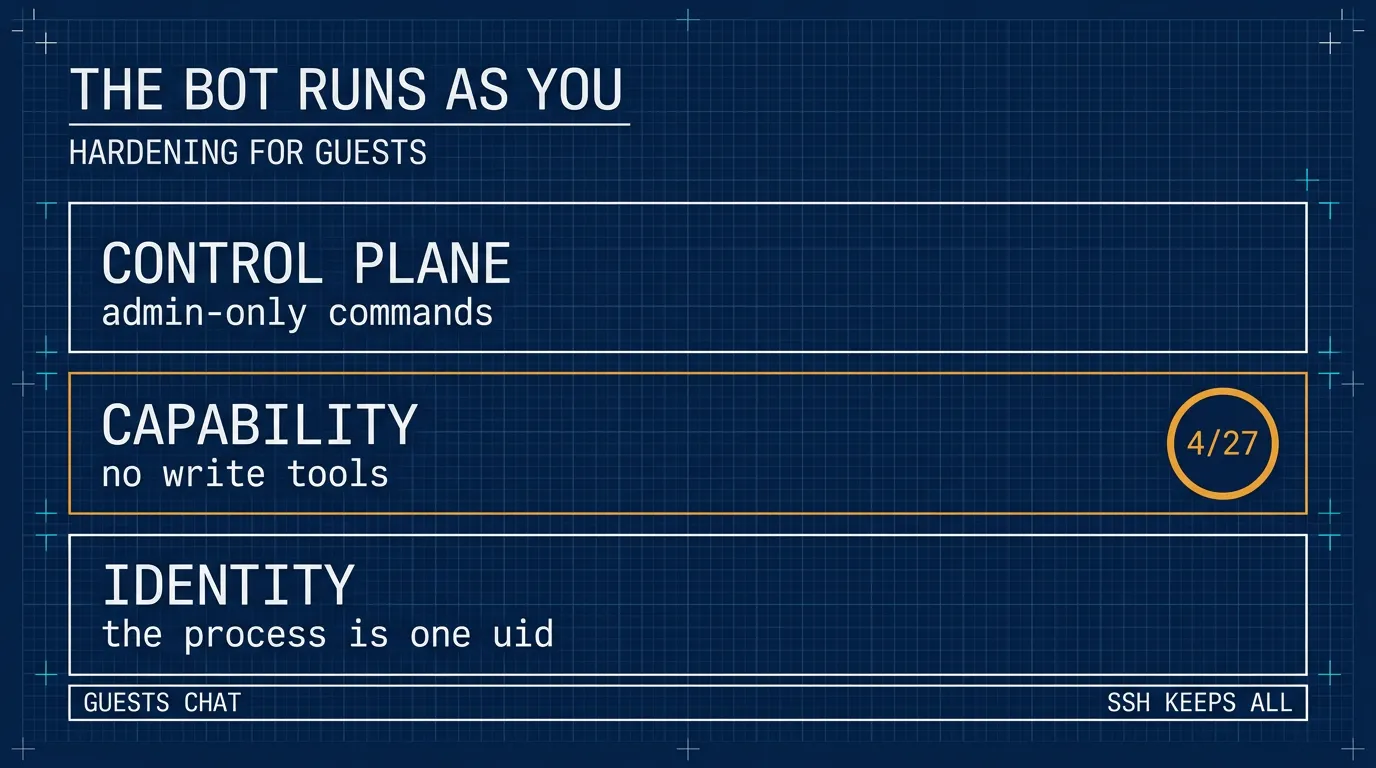
Identity is the only layer that survives a tool you have not audited yet. Capability is the one that stops today’s incident. The control plane keeps a guest from re-enabling what you disabled.
This article applies the second and third. The first needs a home outside your own: a tree inside /home/jeff cannot coexist with chmod 700 /home/jeff, which would lock the service user out of its own home. Everything below is the config-only path, and the tool list is the barrier.
1. Audit what is already there
# pick the window yourself — the day you noticed, not a date from this article
find ~/.hermes -newermt "-7 days" -type f \
  | grep -vE 'state\.db|/logs/|gateway_state\.json' | head -40
hermes skills list
hermes cron list
Read every new file before deleting it. A planted skill runs on every future use, so a blind rm is not an audit. Then check ~/.hermes/config.yaml for keys you did not write, and .env for values you did not set.
2. Take the writes away
Every toolset that can write, and what it writes:
| Toolset | Tools | Writes to |
|---|---|---|
file | write_file, patch | any path the gateway uid can reach |
terminal | terminal, process_manage | the same, through any command |
code_execution | execute_code | the same, through Python and subprocess |
skills | skill_manage | ~/.hermes/skills/ — create, patch, or delete any skill; staged under ~/.hermes/pending/skills/ when the write gate is on |
memory | memory | ~/.hermes/memories/ — MEMORY.md and USER.md |
cronjob | cronjob_manage | ~/.hermes/cron/jobs.json — writes that run later |
browser | browser_exec, browser_cdp, browser_* | profile and downloads; browser_exec runs Python |
delegation | delegate_task | children inherit tools, so any row above |
image_gen, video_gen, tts | image_generate, video_generate, text_to_speech | generated media files |
connections | manage_connections | config and MCP servers — which add tools |
kanban | kanban_* | ~/.hermes/kanban.db, plus locks and board metadata under ~/.hermes/kanban/ |
computer_use | computer_use | files reached through the desktop |
discord_admin | discord_admin | roles and channels — Discord, not the filesystem |
session_search is not in that table because it writes nothing — but it reads past conversations, so it belongs off on privacy grounds alone.
The selection is the whole list, not a set of removals: whatever you put in platform_toolsets.discord is exactly what that platform gets. Put the gate first and the writer last, in one file:
# ~/.hermes/config.yaml
skills:
  write_approval: true           # nothing installs without your approval

platform_toolsets:
  discord:
    - web        # web_search, web_extract
    - vision     # vision_analyze
    - clarify    # ask a question
    - todo       # in-session task list
    - skills     # skill_view, skills_list — writes staged, step 3
Do not paste that block in as a new section. skills: is already there, and platform_toolsets: is there once hermes tools has written it. A second copy of either makes the file unparseable, and then none of its settings load. Set the keys instead:
hermes config set skills.write_approval true
hermes config set platform_toolsets.discord '["web","vision","clarify","todo","skills"]'
hermes config set writes into the block that already exists, and creates the parent path if the key is not there at all. If it had to recreate platform_toolsets, the cli: and telegram: lists that lived in that block are gone, and both fall back to defaults.
That is “as much as possible” under the rule that nothing installs without you. browser, image_gen, video_gen, and tts look harmless and are not: they write browser profiles, downloads, and media files.
For the maximum instead, discord: [] removes everything, tools and conversation aids alike.
The same selection, if you would rather click than type: tick those five boxes in hermes tools. Set the gate before the restart that applies the toolset — ticking the boxes writes the file, the restart activates it.
hermes gateway restart
hermes tools --summary
A broken config does not fail loudly. One duplicate top-level key makes the file unparseable. Older builds fell back to defaults, and a duplicate skills: that way reverted everything — every tool back, no gate, no lock. Current builds keep serving the last config that parsed instead, reading ~/.hermes/backups/config/config.yaml.good.* in a fresh process. Either way your new block never loads: the hardening you just wrote is silently not in effect, and the permissive config from before it may be the one actually running. After any hand edit, hermes config check must report no error and hermes tools --summary must still show five. Both are one line, and they are the only check that catches a silent no-op.
The CLI keeps its full set either way, so SSH sessions still have everything.
3. The skill gate
Why skills is there at all: members need skills_list and skill_view to see and use the library, and those travel with skill_manage in the same toolset — toolsets are not split by tool. The gate is what keeps authorship yours. Every skill_manage write — create, patch, delete, file write — is staged under ~/.hermes/pending/skills/ instead of installed, and the skill is inert until you act. That directory appears on the first staged write, so ls on a fresh install answering No such file or directory means nobody has proposed anything yet, not that the gate is off.
/skills pending      # staged writes, one line each
/skills diff <id>    # the full diff — read it in the CLI, chat truncates
/skills approve <id>
/skills reject <id>
/skills approval on  # the same switch as write_approval, from chat
Members keep skills_list and skill_view; only your account is admin, so only you approve. The cost is one staged JSON per proposal — a write, but not an installation — plus one review per skill. Approved skills land in ~/.hermes/skills/, so git-init that directory: every approval then has a diff and a revert. Lock what you depend on with hermes curator lock <skill>, and an approved skill appears to a new session; /reload-skills forces a rescan in the current one. What the library costs before anyone proposes anything is the other half of this: the skill index measures it.
4. Close the control plane
allow_admin_from decides who may run slash commands. It has no effect on tools: a slash command is a command, not a capability. Scope matters — allow_admin_from covers DMs, group_allow_admin_from covers server channels, and both are needed.
Both platforms.<name> and gateway.platforms.<name> are read, but the top-level block wins on shared keys, extra included. So put it in one place, next to enabled:
platforms:
  discord:
    enabled: true
    extra:
      allow_admin_from:
        - "<your-user-id>"
      group_allow_admin_from:
        - "<your-user-id>"
      user_allowed_commands:
        - whoami
        - status
      group_user_allowed_commands:
        - whoami
        - status
Write it once. If both blocks carry an extra, the top-level one wins and you will debug the copy that does nothing.
Non-admins get /help, /whoami, and that list. They do not get /yolo, which would switch approvals off in their session.
Slash commands are a second write surface. They are not tools, so platform_toolsets never sees them, and several of them write on their own:
| Command | What it writes |
|---|---|
/save | a session export under ~/.hermes/sessions/saved/ (md, json, html) |
/plan | a markdown plan under .hermes/plans/ |
/init | generates or updates AGENTS.md |
/learn | distils a new skill into ~/.hermes/skills/ (staged when the gate is on) |
/refine, /curator | memory and skill maintenance writes |
/rollback | restores filesystem checkpoints |
/update | replaces the Hermes install |
/sethome, /model --global, /reasoning --global | writes config.yaml or .env |
The admin split is the only thing that gates them. That makes it more important than the tool list, not less.
/tools is not on that list and never was: it is a CLI-only command, so it does not exist in Discord and the tool selection cannot be re-opened from chat at all.
Check the split from the channel, not the shell:
/whoamiTier: admin means the block was read. Anyone else should get Tier: user and a short list of commands after it; that line is the split working. Tier: unrestricted means no admin list is in effect for that scope — the YAML landed in the shadowed block, or you set the DM pair and are testing in a channel. In that state every command in the table above is open to your guests.
5. Verify
From a guest account, ask for a shell and a file write. Both should fail because the tool is absent, not because the model refused — a refusal means the tool is still there and the model is being polite. Then ask for a skill: it should stage under ~/.hermes/pending/skills/ and install nothing.
hermes tools --summary                          # Discord: five toolsets, nothing installed
find ~/.hermes/skills -newermt '-10 minutes'    # empty
ls ~/.hermes/pending/skills                     # the staged proposal, if any
Run hermes tools --summary in a real terminal — piped, or as a non-interactive SSH command, it refuses with “requires an interactive terminal”.
Confirm your own DM still answers, since the change applies to you on that platform too.
What the finished shape looks like
| Surface | Chat | Tools | Writes |
|---|---|---|---|
| Discord — you | yes | web, vision, clarify, todo, skills | staged only |
| Discord — members | yes | the same five | staged only |
SSH + hermes | yes | all of them | yes |
The fifth toolset is there so guests can see and use the library; the gate is what stops them installing into it. Nothing a guest writes reaches ~/.hermes/skills/ without your /skills approve.
You and the other members are equal on Discord. The only difference is slash commands, and the only place you hold more power is the shell — which is the point.
What this does not buy
- The agent still writes. Sessions, logs, memory, and
state.dbare written by the gateway user as normal operation. The goal is “no guest-directed writes”, not “read-only host”. - Prompt injection is unchanged. If
webstays enabled, a page the agent fetches can still steer it inside the tools that remain.web_extractcan also reach internal addresses from your VPS; dropwebas well if guests only need conversation. - Approvals are not a boundary. Upstream says it plainly: deny rules are a shell policy, not a sandbox.
approvals.modeshapes what runs; it does not contain what runs. - Your own Discord access loses the same tools. The platform is the boundary. Admin work belongs in SSH and the CLI, where your own install keeps the full toolset.
- Splitting by person needs a second gateway. Separate bot, separate home, separate toolset. Twice the surface, so do it only if admin-via-Discord is a real requirement.
- There is no second identity here. The bot still runs as you, so the tool list is the only barrier between a guest and your files. The identity layer needs a home outside your own, which a tree under
/home/jeffis not. state.dbhas a second door. Everything above governs guests in Discord; it does not govern a client you run yourself.hermes mcp-servegives an MCP client ten tools — read every message in~/.hermes/state.db, post as the bot, answer pending approvals — and--toolsadds model spend on top. That is a decision made at a shell, not a hole in this config, and the MCP piece measures what it hands over.
Rollback
Re-enable a toolset in hermes tools and restart; /skills approval off ungates skill writes the same way.
The lesson is smaller than the setup: an invite is a grant. The bot does not have a users table. It has a uid.
I will leave this running for a while before calling it settled. The question that matters is not whether the config is correct on paper, but whether the bot stays healthy in a group where other people talk to it: five toolsets, writes staged, nothing installable. Anything practice teaches me that this config does not cover goes here.
btw, i use arch