When Hermes Stopped Answering on Discord
- Date: November 11–12, 2026, verified November 28
- Host:
debian-4gb-nbg1-1(Debian ARM64, 4 GB RAM) - User:
jeff(UID 1000) - Bot:
QuantaLatticeBot#5613 - Service: the systemd user unit
~/.config/systemd/user/hermes-gateway.service
TL;DR
Sending /status to the bot produced “The application did not respond”. The gateway was being stopped every time the last SSH session closed: systemd-logind shuts down user@1000.service, and every unit inside it, once no session remains. Restart=always with RestartSec=5 then spent five dead seconds against Discord’s three-second interaction budget. loginctl enable-linger jeff keeps the user manager alive across logins, and /status has answered in 0.38 s since.
The setup being diagnosed here is the one described in Running a private Hermes Agent on a VPS. This note starts where that one stops.
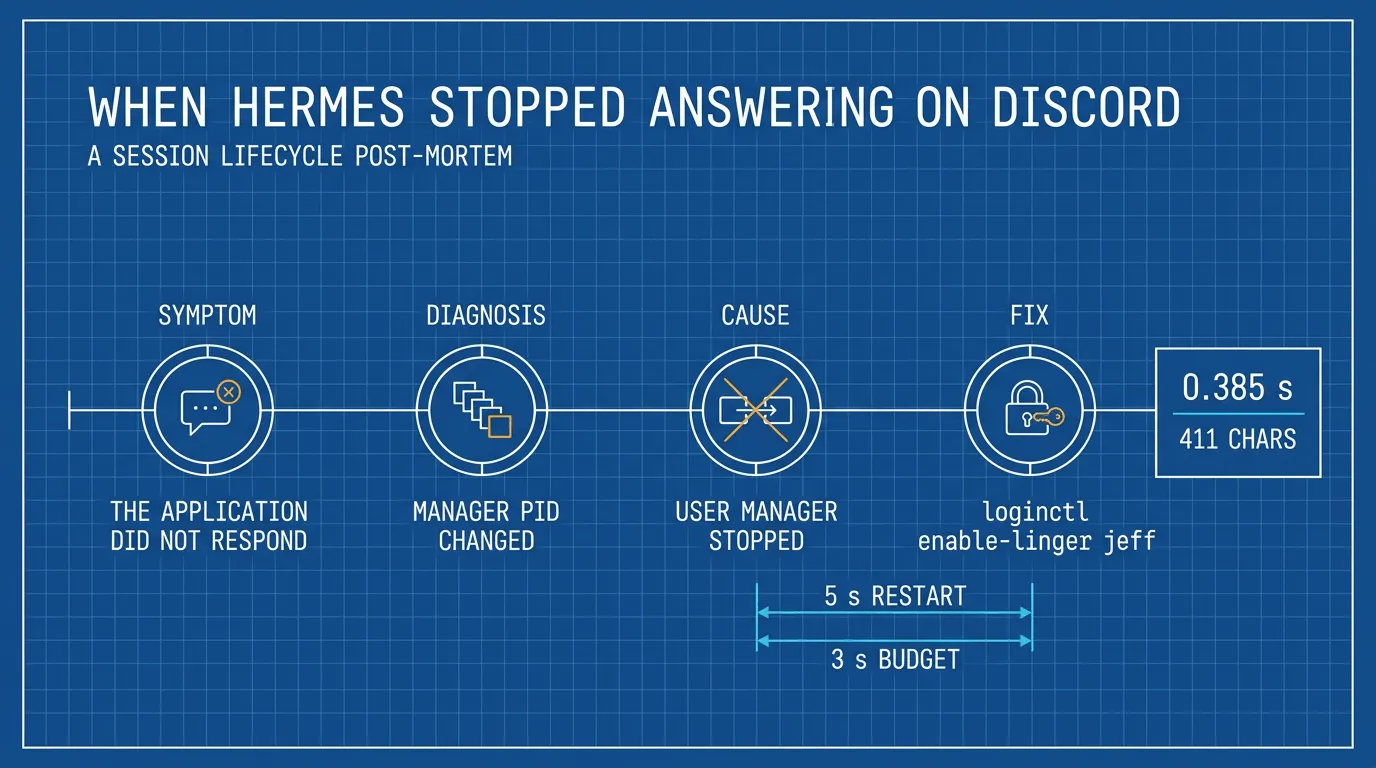
The symptom
Sending /status to the Hermes bot in Discord returned:
“The application did not respond”
The command was visibly registered and the bot’s avatar was online, which is the misleading part: slash commands live in Discord’s registry, not in the running process, so they stay visible while the gateway is down. The connection was simply not there for the three seconds Discord waits.
The diagnostic trail
Step 1: the unit and the journal
Checked the service status and the user journal on the VPS:
systemctl --user status hermes-gateway.service
journalctl --user -u hermes-gateway -n 50 --no-pager
The service showed active (running) for only 7 s, and the systemd manager PID kept changing (112863 → 113122 → 113422 → 113650), with a matching Stopping → Shutdown context: signal=SIGTERM … parent_name=systemd → Stopped cycle each time:
Nov 11 23:34:32 systemd[112863]: Started hermes-gateway.service
Nov 11 23:35:02 systemd[112863]: Stopping hermes-gateway.service
Nov 11 23:35:05 systemd[112863]: Stopped hermes-gateway.service
Nov 11 23:37:50 systemd[113122]: Started hermes-gateway.service
Nov 11 23:38:17 systemd[113122]: Stopping hermes-gateway.service
Nov 11 23:38:20 systemd[113122]: Stopped hermes-gateway.service
A changing manager PID is the tell: every new number is a fresh user@1000.service, created by a login and destroyed on logout. The unit was never crashing into that churn; it was being carried down with the manager.
One of those cycles was different. At 23:37:52 the service died with Main process exited, code=killed, status=10/USR1, then Failed with result 'signal', and systemd scheduled a restart. USR1 is the signal the unit itself uses for reloads:
ExecReload=/bin/kill -USR1 $MAINPIDSo of the restarts in that window, three were session teardown and one was a reload that killed the process instead of reloading it. That second failure is worth naming separately — it is an application-level bug, not a symptom of the session problem, and blaming everything on sessions would hide it.
The root cause is therefore the session lifecycle, not an application bug: without lingering, systemd-logind stops the user manager when the last session ends, and the unit dies with it. KillUserProcesses=false on this host does not save it, because that setting governs session scopes, and the gateway lives in the user manager’s cgroup, not in a session scope.
Step 2: Hermes’s own logs
Checked Hermes’s native log files inside ~/.hermes/logs/:
tail -n 60 ~/.hermes/logs/gateway.logQuantaLatticeBot#5613 connected cleanly (✓ discord connected) and the slash-command set was already synced, so nothing on the Discord side was wrong. The connect sequence being clean does not by itself prove an external cause, but it rules out the obvious one: a bad token, a re-registration loop, or a crash during startup.
The logs are not traceback-free. The only tracebacks present were retried upstream errors — openai.RateLimitError: 429 from the model provider — plus SystemExit: 75 entries in gateway-exit-diag.log, which are planned restarts. None of them terminates the gateway; the stops came from outside the process.
Step 3: enabling lingering
Enabled persistent background execution for user jeff:
sudo loginctl enable-linger jeffThis created /var/lib/systemd/linger/jeff, which tells systemd-logind to start user@1000.service at boot and keep it running when no session is active — 24/7, with no SSH connection required.
Two runs of that command are visible in the journal, at 23:43:17 and 23:44:44; the second is the one that stuck, matching the file’s mtime.
Step 4: live verification
Monitored the gateway and error logs in real time while invoking /status in Discord:
tail -f ~/.hermes/logs/gateway.log ~/.hermes/logs/errors.log2026-11-11 23:45:28,754 INFO hermes_plugins.platforms__discord.adapter: [Discord] slash '/status' invoked by user=j3ffyang id=475063352813420566 channel=1568090466938003627 guild=None
2026-11-11 23:45:29,139 INFO gateway.platforms.base: [Discord] Sending response (411 chars) to 1568090466938003627Hermes received /status and delivered a 411-character response in 0.385 seconds — comfortably inside Discord’s three-second window, with the timeout banner gone.
Why linger, and not a system unit
A dedicated system unit (/etc/systemd/system/hermes-gateway.service with User=jeff) is the more conventional answer for a server daemon, and it removes the session problem entirely. It also brings its own work: the unit moves to the system journal, its environment has to be spelled out without a user session, and it loses access to the user’s D-Bus session bus.
For a single-user VPS running one bot, linger is the smaller change. It leaves the unit file exactly where Hermes installed it, keeps systemctl --user as the management surface, and costs one command. The tradeoff is that the bot now runs whenever the machine is up, including while nobody is logged in, which is the point.
Telling a fault from a planned restart
The unit sets SuccessExitStatus=75 and RestartForceExitStatus=75, and Hermes exits 75 when it restarts itself on purpose. A restart counter that climbs is therefore not automatically a fault. On November 26 the gateway exited 75 twice within a minute, came back both times, and has been up since 04:07 that morning.
A real fault looks different: Failed with result 'signal', an exit status other than 75 or 78, or the unit vanishing because the user manager stopped. Check systemctl --user show -p MainPID across logins — if the number changes, the session teardown is back.
What this did not fix
The gateway still logs 429 rate-limit errors from the upstream model provider when a free model is at capacity. Those are retried and are unrelated to the Discord timeout. They are worth watching, because while the retries run, a slash command that needs the model will be slow — but it will not be turned away by Discord, since the acknowledgement is separate from the answer.
Maintenance commands
-
Check live service status:
systemctl --user status hermes-gateway.service -
Confirm the manager is not being recycled:
systemctl --user show -p MainPID hermes-gateway.service -
Restart the gateway after configuration changes:
systemctl --user restart hermes-gateway.service -
Monitor live gateway logs:
tail -f ~/.hermes/logs/gateway.log -
Verify persistence settings:
systemctl --user is-enabled hermes-gateway.service && loginctl show-user jeff -p Linger -
Read the traffic from the login side:
journalctl -u user@1000.serviceThat last one reads a system unit, so it needs membership in
systemd-journal(oradm). Without itjournalctlprints a hint and no entries; theStopping/Stoppedlines quoted above are visible throughjournalctl --user.
What was verified, and what was not
- Linger is on:
Linger=yes,State=active, and the flag file dates from2026-11-11 23:44:44 UTC. - The unit is enabled,
WantedBy=default.target, withRestart=alwaysandRestartSec=5. - The gateway ran from November 11 to November 26 without a restart, and has been up continuously since.
- Boot auto-start is configured, not yet observed: the host last booted on November 5, before linger existed.
btw, i use arch