Keeping secrets out of Git
Secrets, credentials, and keys belong on the local disk and nowhere else — not in a commit, not in a push, not in a branch, not in a pull request. Once a secret reaches a remote it is exposed, even if a later commit deletes it, because git keeps history. This note lists what to consider and what to change in a repository so a secret cannot slip in.
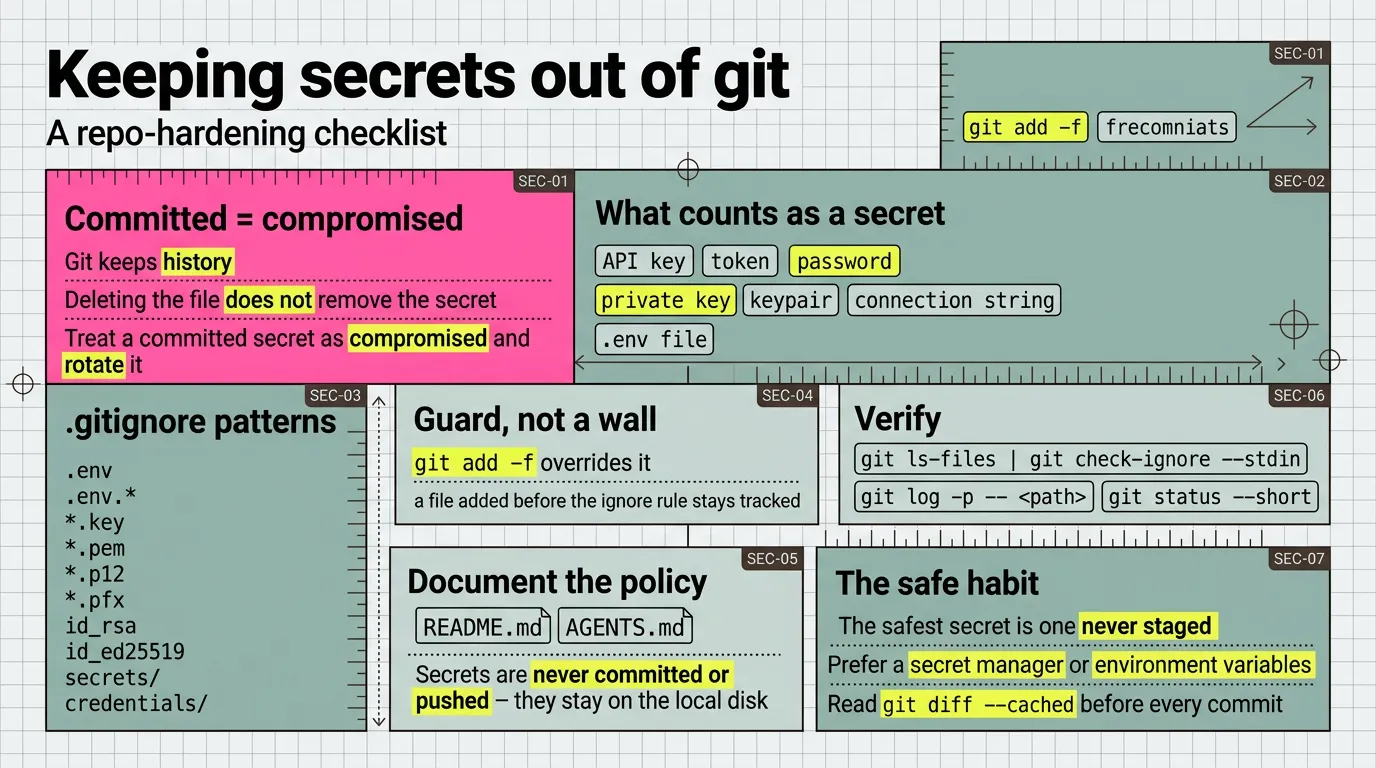
What to consider
- A secret is any value that grants access: an API key, a token, a password, a private key, a keypair, a connection string, a
.envfile. - Git keeps history. Deleting the file does not remove the secret; treat a committed secret as compromised and rotate it.
.gitignoreis a guard, not a wall:git add -foverrides it, and a file added before the ignore rule stays tracked.- The safest secret is one never staged. Keep secrets in an ignored path from the first commit.
- Prefer a secret manager or environment variables over files in the working tree.
- Read
git diff --cachedbefore every commit; a glance catches a stray key.
What to edit in .gitignore
List the patterns secrets usually arrive in, so git cannot track them:
# Secrets, credentials, keys — never commit or push
.env
.env.*
*.key
*.pem
*.p12
*.pfx
id_rsa
id_ed25519
secrets/
credentials/
Add a pattern when a new tool introduces a new secret file.
What to add to README.md
State the policy where a reader sees it:
Secrets, credentials, and keys are never committed or pushed; they stay on the local disk, and
.gitignoreexcludes their usual patterns.
If the README is generated — as in this repo, from articles.yaml — add the line to the template or the source that produces it, never by editing the README by hand.
What to add to AGENTS.md
Give the agent the same rule, so it does not stage or commit a secret:
Never commit or push secrets, credentials, or keys; they stay on the local disk.
.gitignoreexcludes their usual patterns.
Verify
git ls-files | git check-ignore --stdinlists any tracked file a new pattern would hide; it should be empty.git log -p -- <path>shows whether a secret was ever committed.git status --shortshows no unexpected secret file.
btw, i use arch